


|
Name |
Root Explorer |
|---|---|
|
Google Play Link |
GET IT ON
Google Play
|
|
Category |
Productivity |
|
Developer |
Speed Software |
| Last version | 4.12.10 |
|
Updated |
|
|
Compatible with |
Android 5.0+ |
Introduction to Root Explorer APK
Root Explorer is a mobile application designed for Android devices, specifically tailored for users with rooted smartphones and tablets. It falls into the category of utility tools and functions as an advanced file manager. By granting access to protected areas of the Android system, it allows users to manage files with precision far beyond what standard file browsers typically offer.
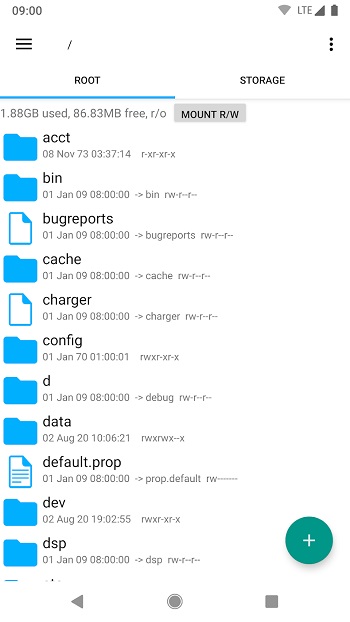
The primary purpose of this app is to provide deeper control over a device’s internal storage and system directories. It enables users to view hidden folders, organize files, and interact with sensitive data that usually remains inaccessible. This capability is particularly valuable for developers, tech enthusiasts, and individuals who enjoy customizing their devices.
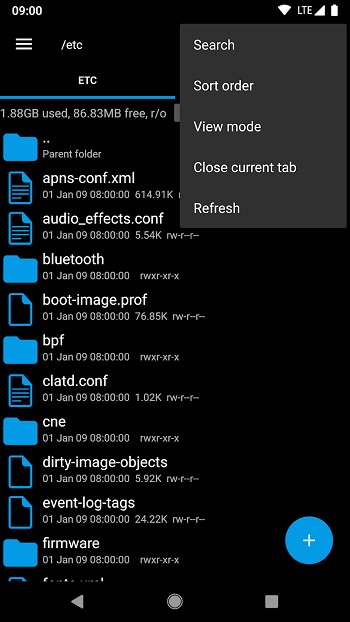
One of its standout features is full root-level file access, which allows users to inspect and modify system files. Additional tools such as multi-tab browsing, a built-in text editor, archive management, and an SQLite database viewer streamline complex tasks. These functions make everyday file handling faster and more structured, especially when dealing with advanced storage operations.
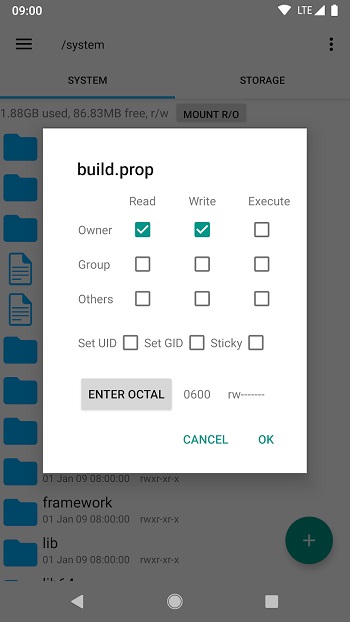
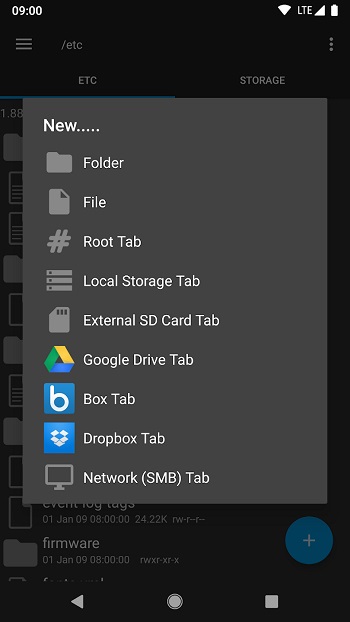
Another practical advantage lies in its ability to manage permissions and ownership settings. Users can adjust file attributes, remount system partitions, and work with configuration files directly. Cloud and network integration further expand its flexibility, making it easier to transfer data between devices and remote storage locations without relying on multiple applications.
The app offers several benefits, including efficiency, reliability, and a clean interface that prioritizes functionality. It simplifies tasks like editing configuration files, cleaning unnecessary data, and reviewing application directories. However, it also has limitations. Root access is required to unlock its full potential, and improper changes to system files can lead to device instability if handled without care.
Root Explorer is best suited for advanced Android users who need precise control over their devices. It proves most useful in scenarios involving system customization, file inspection, app development, and technical troubleshooting. For those comfortable working with rooted environments, it serves as a dependable and powerful file management solution.
FAQs Root Explorer
What is Root Explorer?
+
Root Explorer is an advanced Android file manager designed for rooted devices, allowing users to access, modify, and manage system-level files and directories.
Is Root Explorer safe to use?
+
Yes, it is safe when used responsibly. However, modifying system files without proper knowledge can cause device instability, so backups are recommended.
Does Root Explorer require root access?
+
Yes, root access is necessary to unlock its full capabilities, including viewing hidden directories and editing protected system files.
What features does Root Explorer offer?
+
It includes multi-tab browsing, a text editor, archive support, SQLite database viewing, permission management, and cloud or network integration.
Who should use Root Explorer?
+
It is ideal for developers, power users, and Android enthusiasts who need advanced file management, customization, and deeper control over their devices.
Discover More Interesting Apps
-
 Mod
Mod
Claude AI
v1.261023.20
44.00 Mb
Updated -
Mod
Grok 3
v1.2.50-release.00
53.82 Mb
Updated -
Grok
v1.2.50-release.00
53.82 Mb
Updated -
Mod
Perplexity
v2.101.0
154.59 Mb
Updated -
DeepSeek
v2.7.1
25.54 Mb
Updated -
BLOApp
v9.80
55.47 Mb
Updated -
Mod
Speechify
v6.4.0
105.92 Mb
Updated -
Mod
Ostrich VPN
v3.9.1(440)
48.00 Mb
Updated -
DuckDuckGo
v5.299.0
75.70 Mb
Updated -
Mod
Todoist
vv12322
47.63 Mb
Updated









Share Your Thoughts